
Best Note-Taking Apps for the iPad

As a mom who juggles countless tasks and responsibilities daily, I’ve learned the value of efficient planning and note-taking. It’s a game-changer, especially when it comes to managing a household, caring for kids, and keeping up with personal goals.
Note: This post may contain affiliate links, which means if you buy from my link I might make a small commission. This does not affect the price you pay. See the full affiliate disclosure here.
That’s why I’m excited to share my insights on the best note-taking apps for the iPad.
These apps have been a lifesaver for me, allowing me to organize my thoughts, plan my days, and keep everything I need at my fingertips.
The Magic of Digital Note-Taking
For moms like us who are constantly on the go, the iPad has become an indispensable tool. It’s lightweight, portable, and versatile, making it perfect for note-taking, whether you’re at home, at a parent-teacher meeting, or in the grocery store. And with the right apps, it can transform into a powerful planner, a digital scrapbook, and a personal assistant all rolled into one.
Essential Features in Note-Taking Apps
When selecting a note-taking app for the iPad, there are a few key features to look for:
- User-Friendly Interface: The app should be intuitive and easy to use, even for those who aren’t tech-savvy.
- Syncing Capabilities: It’s important that the app can sync across devices, so you can access your notes whether you’re using your iPad, iPhone, or computer.
- Customization Options: The ability to customize notebooks, color-code notes, and use various fonts and templates makes organizing more effective and enjoyable.
- Handwriting and Drawing Tools: For those who prefer handwritten notes or like to doodle, these tools are essential.
- Search Functionality: Quickly finding specific notes or lists is crucial when you’re a busy mom.
Now, let’s dive into some of the best note-taking apps for the iPad, incorporating all these features and more.
The Top Note-Taking Apps for iPad
1. GoodNotes
GoodNotes is a fantastic app for moms who love the feel of pen and paper but want the convenience of digital notes. Its handwriting recognition feature is top-notch, allowing you to search your handwritten notes as easily as typed text. Plus, its vast array of templates, from lined paper to planners, makes it perfect for every kind of note-taking need.
2. Notability
Notability is another excellent choice, known for its smooth integration of typing, handwriting, and audio recordings. It’s particularly useful for recording notes during meetings or classes while jotting down key points. The app also offers a great selection of organizational tools and customization options.
3. Evernote
Evernote is ideal for moms who need to keep their work and personal lives organized in one place. Its powerful search capabilities, tagging system, and ability to attach files and images to notes make it an incredibly versatile app. You can even clip web pages and have them as part of your notes.
4. Microsoft OneNote
For those who are already part of the Microsoft ecosystem, OneNote seamlessly integrates with other Microsoft apps. It offers a free-form canvas where you can type, write, draw, and clip items from the web. Its organizational system is based on notebooks, sections, and pages, mirroring a physical binder.
5. Bear Notes
Bear is a beautifully designed, minimalist app perfect for moms who appreciate aesthetics along with functionality. It’s great for quick notes, to-do lists, and even longer-form writing. Bear also uses a unique tagging system for organization, which can be a fun and efficient way to keep your notes sorted.
Integrating Note-Taking into Daily Life
Tips for Making the Most of Your Note-Taking App
- Daily Reviews: Spend a few minutes each morning and evening reviewing your notes and plans for the day. This habit ensures that nothing slips through the cracks.
- Use Voice Dictation: When you’re multitasking, use voice dictation to quickly capture thoughts or reminders.
- Sync with Calendars: Integrate your note-taking app with your digital calendar for seamless planning.
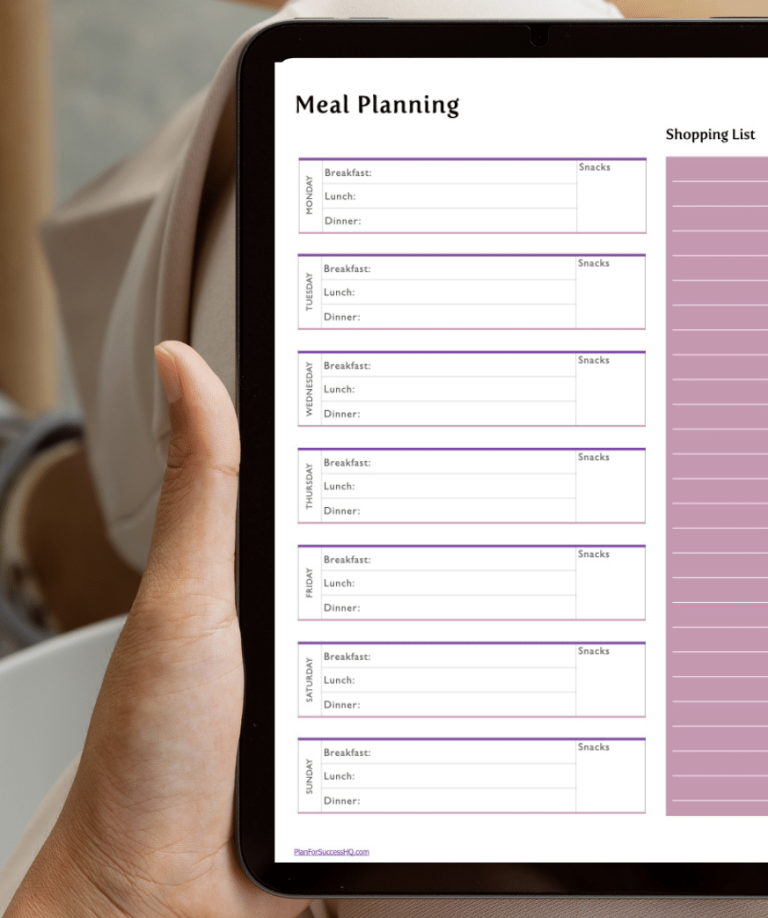
- Create Templates: Develop templates for recurring tasks like grocery lists, weekly meal planning, or kids’ schedules. It saves time and keeps you organized.
- Involve Your Family: Share certain notebooks or lists with family members to keep everyone on the same page.
Finding the right note-taking app for your iPad can make a huge difference in managing the complexities of motherhood and personal life. Whether it’s GoodNotes, Notability, Evernote, OneNote, or Bear, each app offers unique features that cater to different needs and preferences.
Remember, the best app is the one that fits seamlessly into your life, making your day-to-day tasks easier and more enjoyable.